Protecting Your Home Wi-Fi Network with Firewalls
Home Wi-Fi is often seen as the invisible link enabling laptops to stream movies, phones to display photos, and printers to function across rooms. But beyond these everyday tasks, it’s where various devices, accounts, and information converge. A typical home network might include computers, phones, tablets, smart speakers, TVs, cameras, printers, and connected appliances, all communicating regularly.
Expected data traffic occurs, like accessing a bank’s website or downloading updates. But there’s also unwanted or suspicious activity. This is where firewalls become essential. A firewall acts like a digital doorman, assessing network connections and applying rules to determine which ones to allow. Firewalls don’t recognize every visitor but help prevent unexpected traffic from reaching devices.
The Role and Importance of Firewalls
Understanding firewalls—how they function, their limitations, and their place within your network—can aid in making informed choices regarding home Wi-Fi security.
Router Firewalls vs. Software Firewalls
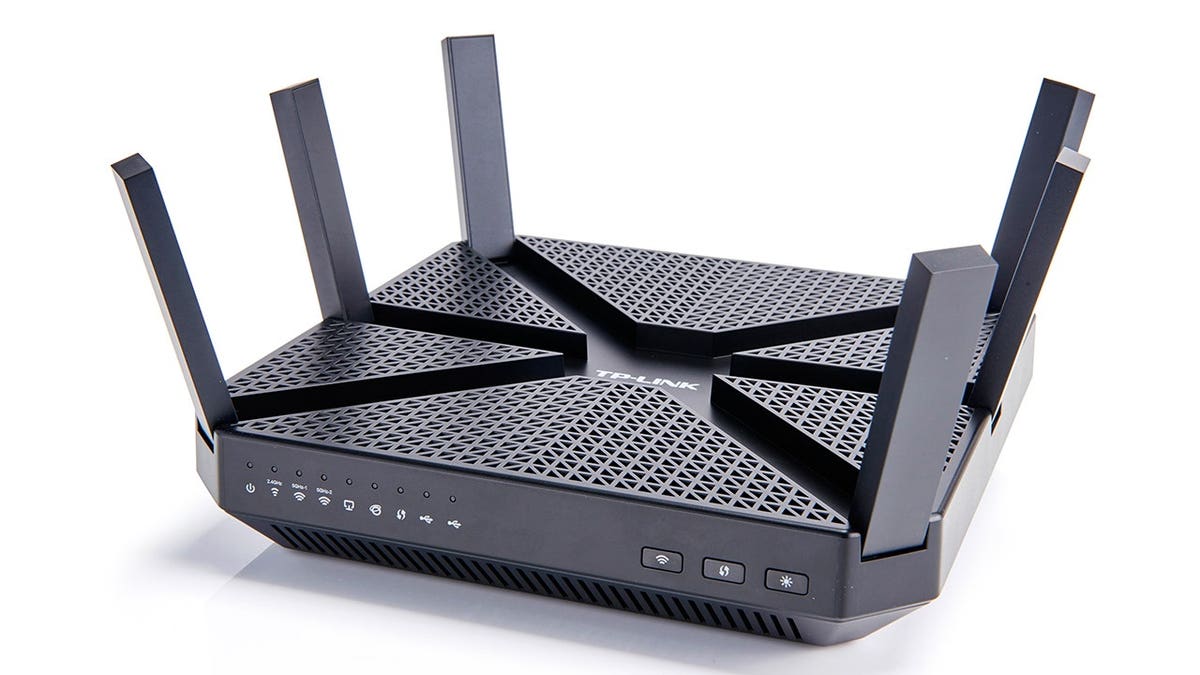
Home routers often come with built-in firewalls, functioning as a gateway to the internet. These firewalls help protect connected devices from unwanted internet traffic. A router firewall offers basic protection, reducing exposure for devices like computers and phones. Settings and capabilities hinge on the router model and configuration.
In contrast, software firewalls operate on individual devices such as PCs or Macs, offering additional oversight and control at the device level. This is beneficial when laptops connect to different networks outside the home.
Both firewall types complement each other; the router firewall guards the network’s entry point, while the software firewall scrutinizes device-specific activity.
Understanding Traffic Types: Inbound vs. Outbound
Inbound traffic refers to data moving toward your device, like a website sending back information post-page request or a remote computer connecting to your network service. Some inbound traffic is expected—responses to initiated connections—but other traffic might be surprising.
Outbound traffic involves data departing from your device, such as opening a webpage, sending an email, or uploading a file. If an unfamiliar program seeks an internet connection, it represents outbound traffic.
Firewalls apply rules to evaluate connections, potentially alerting you, permitting, or blocking them. Their aim is maintaining usual online activity while spotlighting unusual behaviors.
Enhancing Network Awareness and Security
Online activities like banking or shopping centralize sensitive information in computing routines. Remote work further emphasizes vigilance. Security tools provide context when unfamiliar applications contact the internet, aiding understanding of operations.
Firewalls alone can’t validate every website or message, as scammers might impersonate legitimate entities. Firewalls form one protection layer, supplementing user judgment in ensuring online safety.
Firewall Capabilities and Limitations
Firewalls effectively manage network connections, limit unsolicited traffic exposure, and identify irregular application activity. They offer protection when devices access external networks.
However, firewalls can’t fortify weak passwords or distinguish fraudulent messages. Nor can they replace antivirus protection, software updates, multifactor authentication, secure router settings, or reliable backups.
Unexpected threats originate from actions you initiate—like opening malicious attachments—or exploit outdated software weaknesses. Thus, additional defenses and habits bolstering safety are crucial.
Essential Wi-Fi Security Practices and Suggestions
Several straightforward steps can bolster home network security:
- Secure router settings: Use recommended security modes and change the default admin password for important settings.
- Install firmware updates: Regular updates can improve router performance and address security vulnerabilities.
- Strengthen Wi-Fi access: Employ strong, unique passwords and utilize guest networks when offered.
- Review connected devices: Occasionally check device lists to ensure familiarity, adjusting passwords if needed.
- Replace outdated routers: Consider new routers if current ones stop receiving updates or lack modern security standards.
Comprehensive security setups—encompassing firewalls, antivirus, multifactor authentication, and regular updates—are effective. Firewalls play a supportive role in overseeing connections.
Moreover, antivirus solutions offer real-time malware detection, phishing alerts, and device-level firewall protection, though features vary across platforms. Visit CyberGuy’s antivirus guide for specific recommendations and offers.
Protecting Irreplaceable Files
Devices often store critical data, from family photos to official documents, requiring protection against losses or corruption.
Understanding and Mitigating Ransomware Threats
Ransomware locks files and demands payment for access restoration. Though firewalls might block suspicious links, ransomware can infiltrate devices in other ways. Strong security practices and reliable backups improve chances of recovery.
Employ the 3-2-1 backup approach, keeping three data copies on two storage types, with one backup stored separately from the computer. CISA advises adopting this strategy to enhance ransomware recovery.
Test backups frequently and ensure automatic updates remain isolated from primary systems. Secure cloud backup accounts with robust passwords and multifactor authentication.
Steps to Handle Ransomware Incidents
If faced with file encryption, disconnect from the network safely. CISA recommends isolating infected devices, discourages ransom payments or deleting potential evidence, and suggests consulting cybersecurity professionals.
Conclusion
Firewalls execute crucial functions unseen, safeguarding network integrity. However, integrating firewalls with multifactor authentication, updated software, antivirus protection, and backups provide a comprehensive safety net.
Visibility of unseen connections allows for identifying and addressing suspicious activities promptly. Regular checks on router firewalls and connected devices can be instrumental in maintaining network security.
Visit CyberGuy.com for more tips on preventing scams and receiving tech updates. Sign-up for CyberGuy’s newsletter for additional guidance and scam survival tips.