Amazon Introduces AI-Powered Alexa+ for Enhanced Convenience
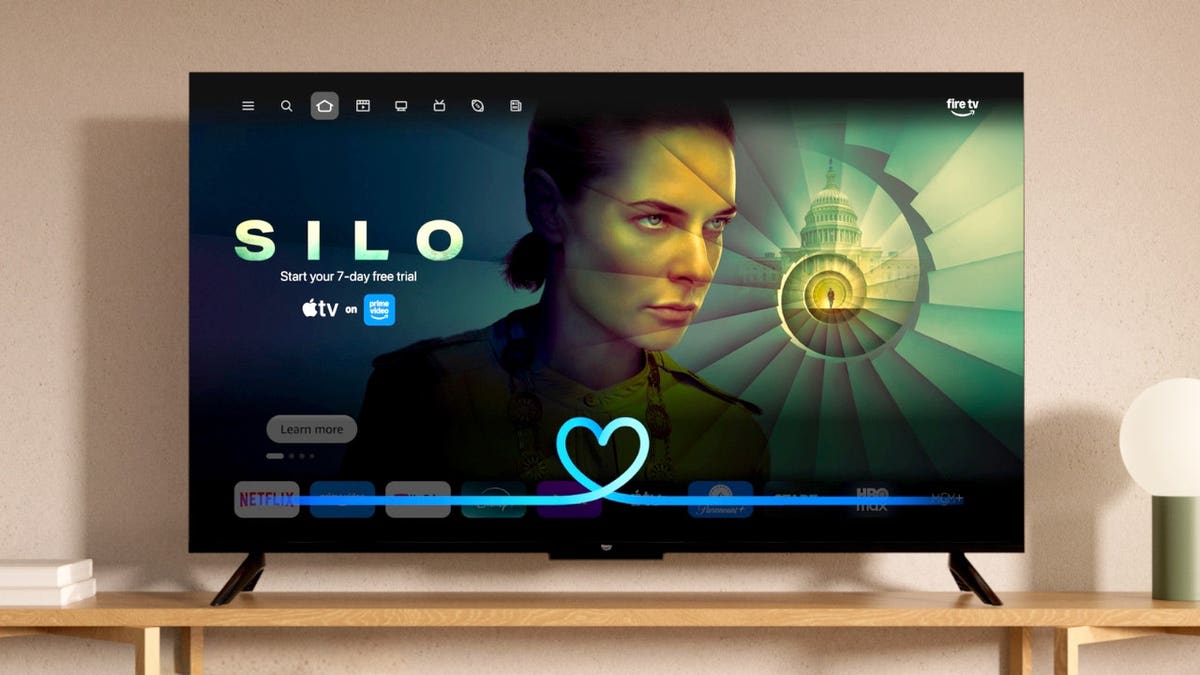
Alexa+ Transformation Revealed
Daniel Rausch, Vice President of Amazon Alexa & Echo, unveils a major AI upgrade for Alexa, now known as Alexa+. This new system includes features like ‘Alexa for Shopping’, significantly enhancing customer interaction by tripling engagement through automated deal alerts and efficient task management.
Instant Alexa+ Integration
Amazon is deploying Alexa+ to compatible Fire TV devices throughout the U.S. at no extra charge. There is no need for an Amazon Prime membership or app downloads. Devices receive the upgrade automatically, transforming millions of televisions and streaming units into platforms for a more conversational AI assistant.
Privacy Concerns and Usage
Privacy remains a key concern. Some Fire TV devices employ hands-free microphones, while others require the remote’s microphone button. Alexa stores interaction data based on user settings. It’s essential to understand device controls and privacy options for Alexa+ on Fire TV.
“Alexa, can now facilitate real conversations, such as ordering food, without the need for precise commands.”
Conversational voice search and smart home controls are significant enhancements brought by Alexa+ at no cost to compatible Fire TV devices in the U.S.
Improved Interaction Capabilities
Alexa+ fundamentally changes the way you interact with your Fire TV. Older versions required direct commands, whereas Alexa+ can understand follow-up queries and natural conversation. For instance, you describe a movie type rather than its exact title, then refine results without repeating whole requests.
Amazon reports users engaging in twice as many conversations with Alexa+ compared to the previous version, with top movie recommendations favored 40% more often.
Enhancements Beyond Entertainment
Alexa+ offers more than entertainment; it connects with smart home devices, displays supported camera feeds, and answers general questions during TV watching.
How you interact with Alexa+ depends on your Fire TV hardware:
- Fire TV Stick: Hold the Alexa button on the remote, speak, and release. Hands-free control requires a linked Echo device.
- Fire TV Cube: Speak to Alexa directly or use the remote. The Cube supports native hands-free interaction.
- Smart TVs: Hands-free capabilities vary by model. Supported sets identify which allow far-field voice control.
Try experimenting with these conversational commands:
- “Alexa, find a highly rated thriller from the last five years.”
- “Make it something funny instead.”
- “Show me family movies under two hours.”
- “Alexa, who is this actor and what else have they been in?”
- “Move this show to the bedroom Fire TV.”
- “Alexa, jump to the restaurant scene in this movie.”
- “Alexa, show me the front-door camera.”
- “Alexa, dim the living-room lights for movie night.”
- “What’s the score of the Yankees game?”
- “Alexa, set a 20-minute timer.”
Compatible Products for Alexa+ Experience
If upgrading your TV, consider adding one of Amazon’s streaming devices for enhanced Alexa+ capabilities:
- Fire TV Stick HD: Supports HD streaming, Wi-Fi 6, and voice control.
- Fire TV Stick 4K Plus: Offers 4K Ultra HD, Dolby Vision, and HDR10+.
- Fire TV Cube: Best choice for hands-free voice interaction, equipped with a four-microphone array.
Understanding Microphone Operation
Fire TV devices vary in how they handle microphones and voice interaction. Fire TV Sticks typically use a remote for voice commands, while Fire TV Cubes feature built-in microphones for hands-free control. Wake-word detection initiates cloud processing.
Disabling Microphones on Fire TV
To disable hands-free microphones, use the device’s microphone-off button. This disconnects power to the microphones, preventing recording or streaming audio. You can still use voice commands via the remote.
Manage Alexa Privacy Settings
Manage privacy with Alexa by reviewing your interaction history in the Alexa app, enabling you to delete saved data. Adjust settings to control data retention. For smart home devices, delete history systematically to optimize privacy.
Further Fire TV Privacy Controls
Beyond Alexa privacy, Fire TV offers settings for device usage and app data collection. Navigate to Settings > Preferences > Privacy Settings to adjust them. Device-specific controls require review across multiple Fire TVs to ensure personalized advertising and data collection preferences.
Alexa+ Costs and Features
Alexa+ features are available at no extra cost to compatible Fire TV devices in the U.S., regardless of Prime status. A broader Alexa+ Standard Plan costs $19.99 monthly for enhanced features, with Prime members receiving it as part of their subscription.
Impactful Innovations for Fire TV Users
For Fire TV owners, Alexa+ greatly improves search capabilities, offering a more dynamic and efficient user experience. New capabilities allow for better management of smart home devices and expand the AI assistant’s utility.
“This automatic upgrade suggests a need for a privacy review to ensure personal data settings align with your preferences.”
Final Takeaways
The Alexa+ upgrade brings voice search innovation to Fire TV, making it more convenient and intuitive. With hands-free interaction and smart home management included, understanding these features and controls ensures a beneficial experience. Personal choices in privacy settings should be reviewed to tailor your device usage effectively.